Sharing Shopping Lists
Shopping lists can be shared with other RecipeSage users, or be printed to PDF to be shared with non-RecipeSage users.
Video Guide
This same video also appears on the 📖 creating lists and items and 📖 usage and options pages, since it covers shopping lists as a whole. Think of it as a visual overview to help you get oriented. It does not cover everything, so read on down this page for the details specific to sharing shopping lists.
Sharing to RecipeSage users
Sharing to other RecipeSage users will give them edit access to the shopping list, and allow them to add their own recipes and items to the shopping list.
To share a shopping list with another user, you can either start with an existing shopping list or start with a new shopping list.
Sharing a new shopping list
To share a new shopping list, head to the 📱 Shopping Lists page.
Click the + button in the bottom right corner.
Enter a shopping list title.
Add collaborators by searching for them by email or handle in the "collaborators" field. Once added, the UI should look like this:
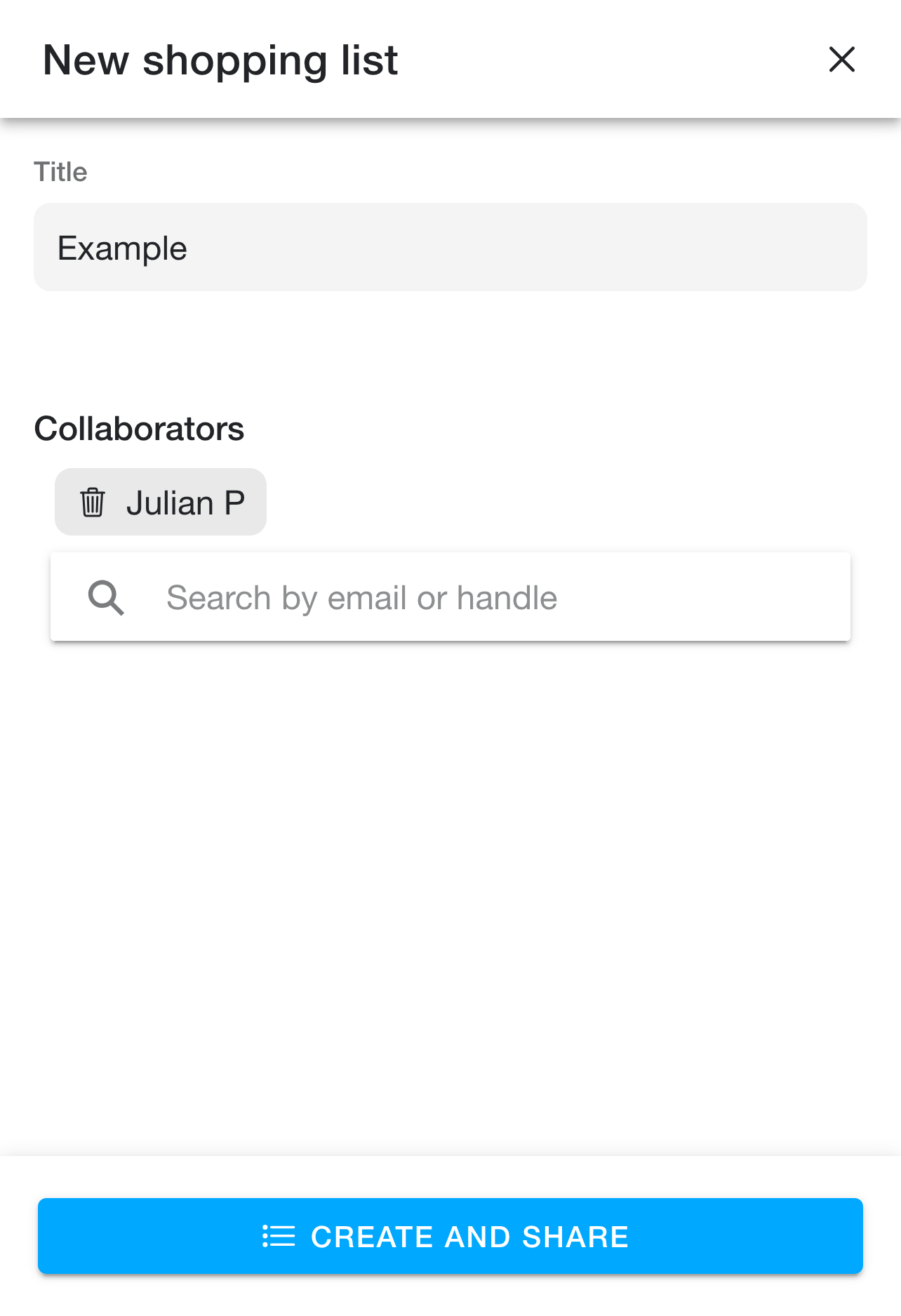
Click "create and share".
Sharing an existing shopping list
To share an existing shopping list, head to the 📱 Shopping Lists page.
Open the shopping list you would like to share.
Click the options button in the top right corner of the navbar to open the options popover.
Click the "Manage List" button (Note: this button is only available if you own the shopping list in question).
Add collaborators by searching for them by email or handle in the "collaborators" field. Once added, the UI should look like this:
Click "update and share" to save.
Sharing to non-RecipeSage users
Sharing to non-RecipeSage users can be done in PDF form.
First, head to the 📱 Shopping Lists page.
Open the shopping list you would like to share.
Click the options button in the top right corner of the navbar to open the options popover.
Click the "print" button.
Use your system print dialogue to select "save to PDF". This step varies depending on your operating system.
Send the PDF to whoever you'd like to share with!