Search by Ingredients
Search by Ingredients is a tool for "what can I cook with what is already in my fridge, freezer, or cabinet?" Instead of searching for one recipe by name, you list the ingredients you have and RecipeSage will find the recipes that use the most of them.
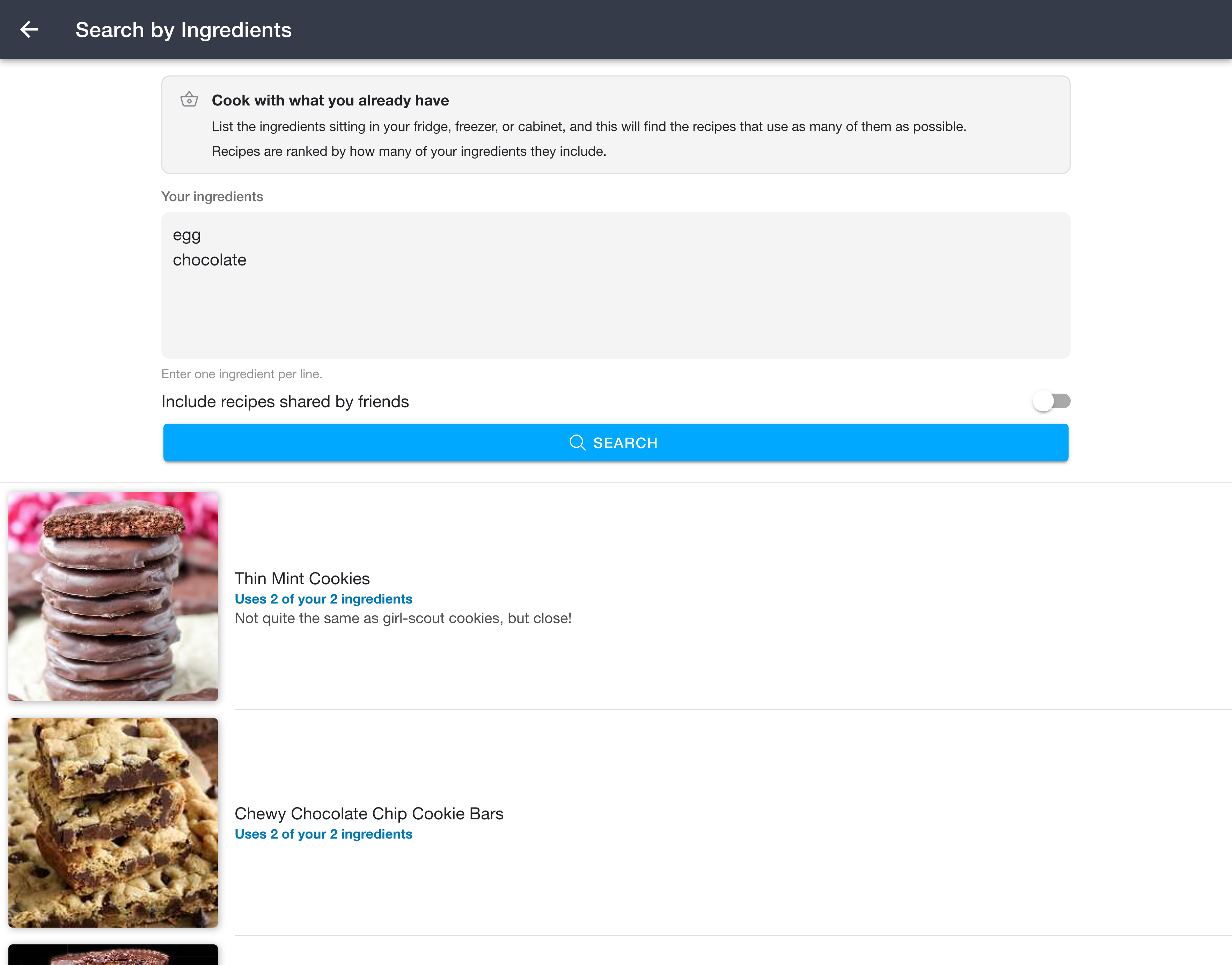
Searching
- Open
Side Menu -> Tools -> Search by Ingredients. - Type the ingredients you have into the box, one per line. For example:
- chicken
- rice
- onion
- garlic
- Press Search.
Each result shows how many of your ingredients it uses, for example "Uses 3 of your 4 ingredients". The recipes that use the most of your ingredients are listed first. Tap any result to open the recipe.
Including recipes from friends
By default the search looks only at your own recipes. Turn on Include recipes shared by friends to also search recipes that friends have shared with you.
How matching works
- Matching is by whole word, so "rice" finds recipes containing the word "rice" but not "licorice".
- Matching ignores capitalization and accents, so "jalapeno" finds "Jalapeño".