Cookbook Generator
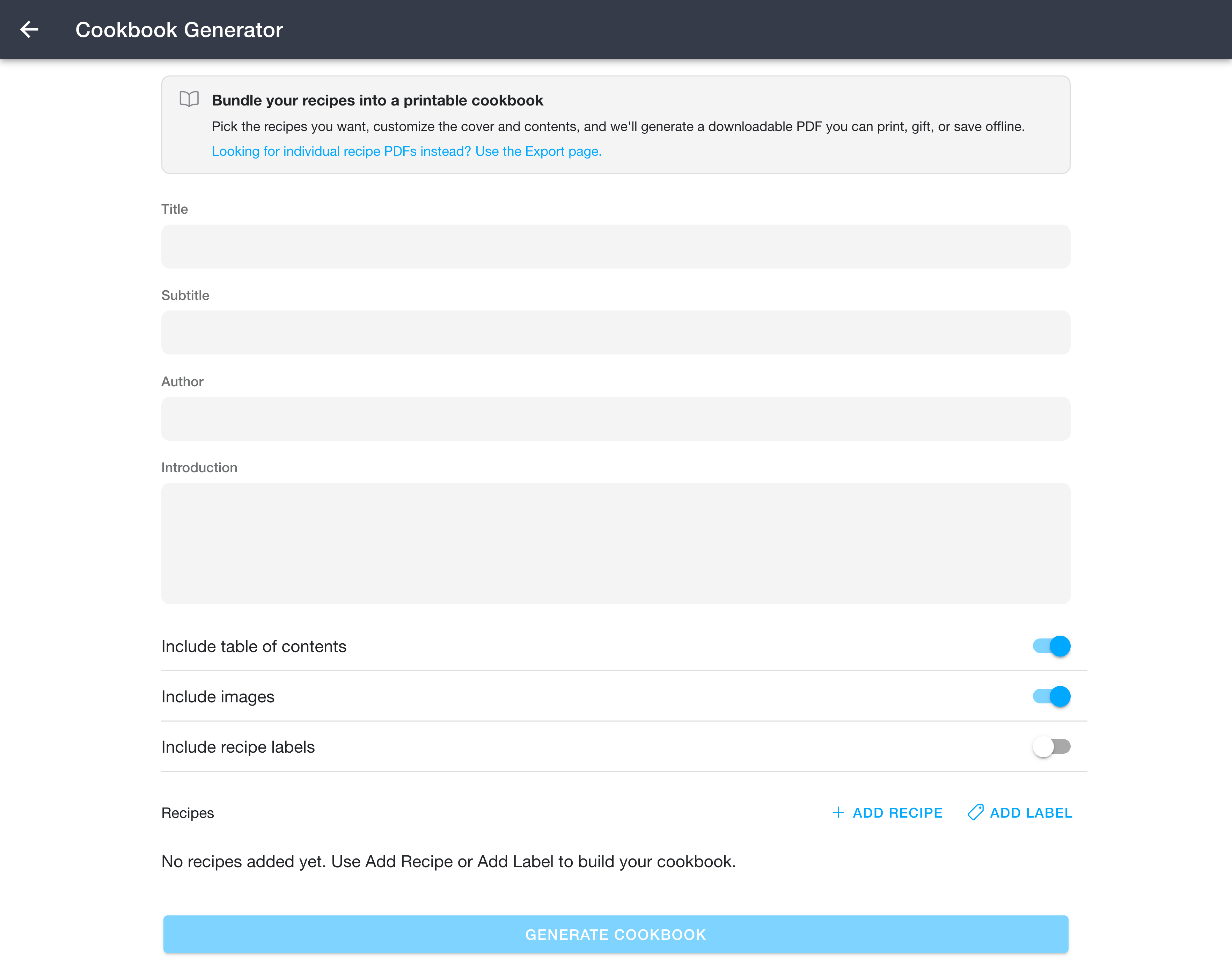
The Cookbook Generator builds a single, printable PDF cookbook from your recipes. You can reach it from Side Menu -> Tools -> Cookbook Generator.
If you only need PDFs of individual recipes rather than a bound cookbook, use the 📖 Export page instead. The banner at the top of the Cookbook Generator links there too.
Creating a Cookbook
- Open
Side Menu -> Tools -> Cookbook Generator. - Fill in the cookbook details:
- Title (required) - shown large on the cover page.
- Subtitle (optional) - shown beneath the title on the cover page.
- Author (optional) - shown as "by <author>" on the cover page.
- Introduction (optional) - a free-form block of text printed on its own page after the cover.
- Include table of contents - when enabled, a contents page listing every recipe and its page number is added. The table of contents will take you directly to the relevant page when clicked.
- Include images - when enabled (the default), the cover photo for each recipe and any images embedded in the steps are included in the PDF. Turn this off for a smaller, faster-to-generate, text-only cookbook.
- Include recipe labels - when enabled, each recipe's labels are printed below its source URL.
- Include last made date - when enabled, the date you last made each recipe is printed with its source, times, and yield. This is off by default, so the date stays private if you share the cookbook.
- Include linked recipes - when enabled, each recipe's linked recipes are listed after its nutrition. Each linked recipe's RecipeSage URL is printed below its title, and opens the recipe in RecipeSage when clicked.
- Include RecipeSage link - when enabled, each recipe's RecipeSage URL is printed below its source URL, so readers can open the recipe in RecipeSage.
- Under Recipes, build the list of recipes the cookbook will contain:
- Add Recipe opens a picker that lets you choose individual recipes one at a time.
- Add Label opens a label picker to add every recipe in the selected label. You can use this multiple times with different labels to combine groups of recipes.
- Recipes you have already added are skipped, so adding the same recipe (or a recipe that matches more than one label) does not create duplicates.
- Reorder recipes by dragging the handle on the right, or remove a recipe with the red minus button on the left. The order shown is the order they will appear in the cookbook.
- Press Generate Cookbook.
When you generate a cookbook, a background job is started and you are taken to the 📖 Background Jobs page where you can track its progress and download the finished PDF.
What the PDF Contains
- A cover page with the title, subtitle, and author.
- An optional introduction page.
- An optional table of contents with page numbers.
- Each recipe starting on a fresh page, including its rating, description, source, times, yield, ingredients, instructions, notes, and nutrition.
- The recipe's primary image, plus any images you embedded within the steps (only when Include images is on).
- The date you last made the recipe (only when Include last made date is on).
- The recipe's linked recipes (only when Include linked recipes is on).
- The recipe's RecipeSage URL (only when Include RecipeSage link is on).
- The recipe's labels, listed below the source URL (only when Include recipe labels is on).
Notes
- Generation runs in the background and continues even if you close the app. Larger cookbooks (and cookbooks with images turned on) take longer to finish.
- A single cookbook can contain up to 1000 recipes.