Pan & Bakeware Converter
You have an 8″ round and the recipe calls for a 9 × 13. Or you have one loaf pan when the recipe wants two. Open Side Menu -> Tools -> Pan & Bakeware Converter and the math is done for you.
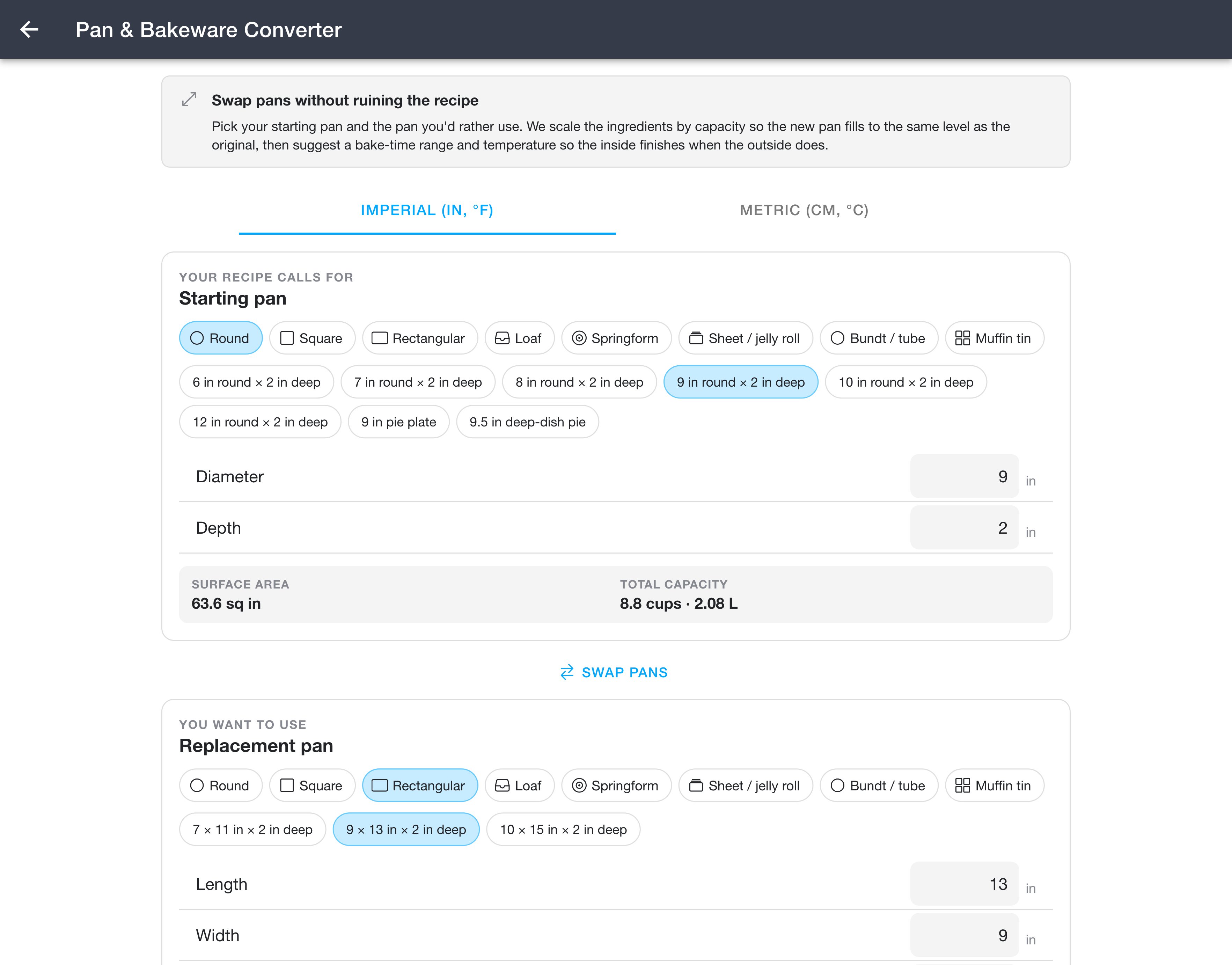
Choosing your pans
At the top of the page, use the Imperial (in, °F) and Metric (cm, °C) tabs to pick the units you want to work in.
Then set up the two pans:
- Under Starting pan (the pan your recipe calls for), choose a shape (round, square, rectangular, loaf, springform, sheet or jelly roll, bundt or tube, or muffin tin). You can then tap one of the common presets for that shape, or type custom dimensions such as diameter and depth.
- Under Replacement pan (the pan you want to use instead), do the same.
For each pan, the converter shows its surface area and total capacity (in cups and liters) so you can see how the two compare. The Swap Pans button in the middle flips the starting and replacement pans if you picked them the wrong way around.
The multiplier
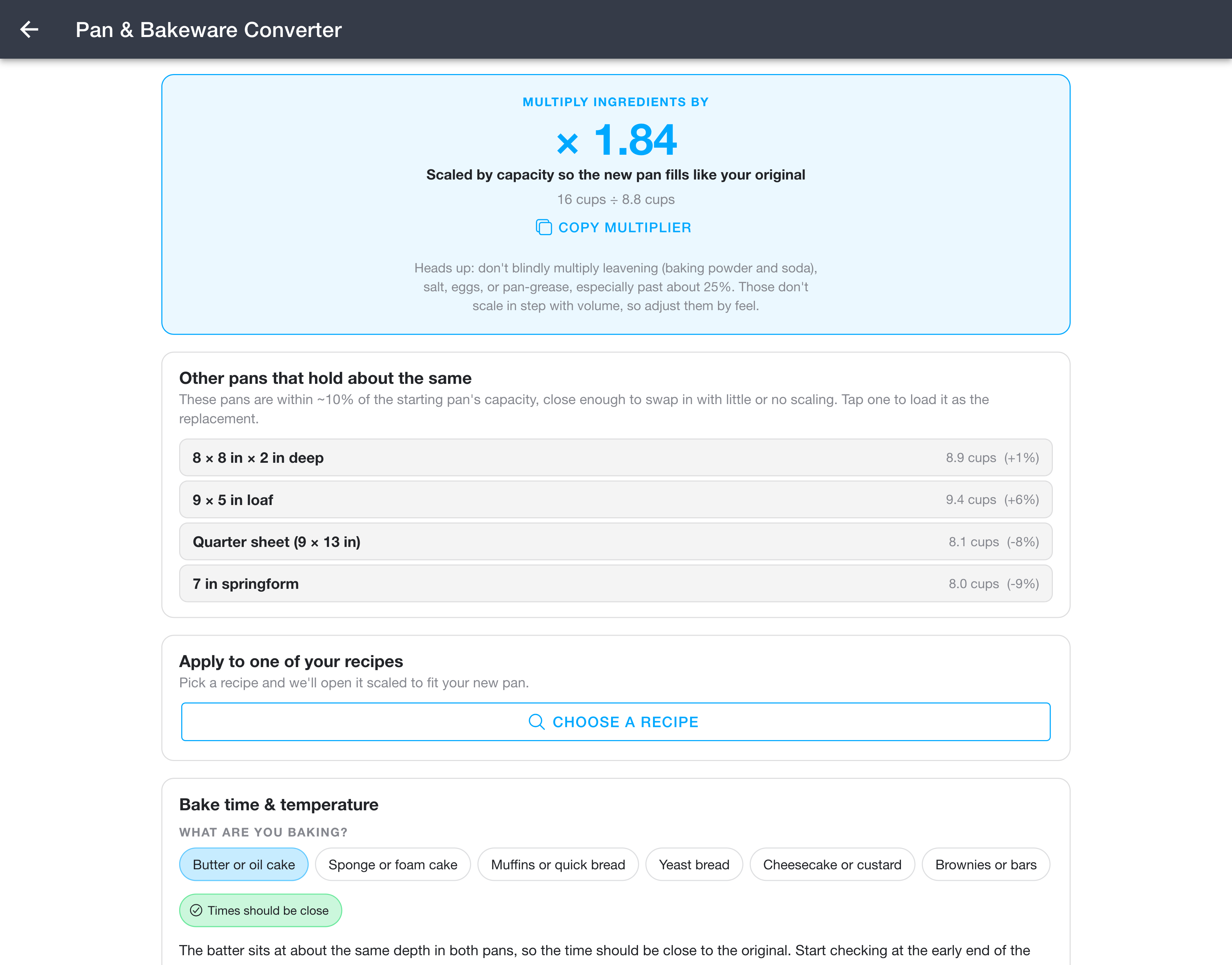
Once both pans are set, the converter shows a multiplier to apply to your recipe. It is the ratio of the two pans' capacities, that is the replacement pan's capacity divided by the starting pan's, so the new pan fills to the same level as the original. Tap Copy Multiplier to copy it.
Other pans that hold about the same
Below the multiplier, the Other pans that hold about the same list shows pans within roughly 10% of your starting pan's capacity. These are close enough to swap in with little or no scaling. Tap any one to load it as the replacement pan.
Apply to one of your recipes
The Apply to one of your recipes section lets you skip the manual math entirely. Tap Choose a Recipe, pick one of your recipes, and it opens already scaled to fit your new pan.
Bake time & temperature
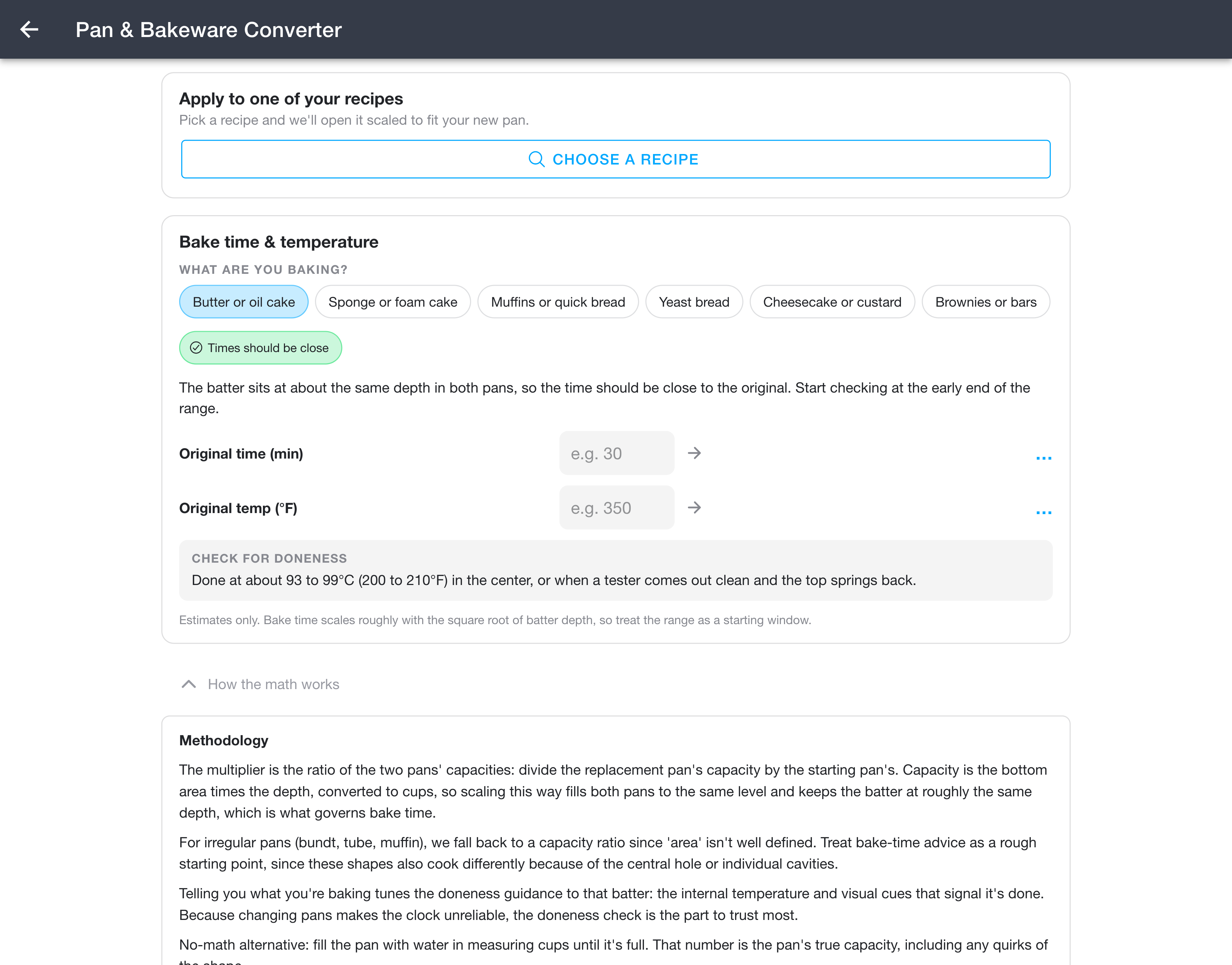
Changing pans also changes how long and how hot to bake. In the Bake time & temperature section, choose What are you baking? (butter or oil cake, sponge or foam cake, muffins or quick bread, yeast bread, cheesecake or custard, or brownies or bars). A short note tells you whether the time should stay close to the original or shift, based on how the batter depth changes between your two pans.
Enter your recipe's original time and original temperature, and the converter suggests adjusted values. The Check for doneness box gives you the internal temperature and visual cues to look for, which are the most reliable signal once the clock is no longer trustworthy.
To see the reasoning behind all of this, expand the How the math works section at the bottom of the page.
Notes
- These suggestions are estimates. They help you scale the contents and give you a bake-time starting window, but you should still watch the food and check for doneness rather than trusting the clock.
- Scale structural ingredients (flour, sugar, fat, liquid) by the multiplier, but adjust leavening, salt, and eggs by feel rather than multiplying them blindly, especially for large changes.